PDFs & Documents
How to Export PDF Pages to JPG, PNG, or Single PDFs on Mac
You need one slide or one contract page as an image. A screenshot feels quick, but it hands you blurry text, an awkward crop, and a result that looks improvised. Exporting the page properly keeps it sharp and consistently sized.
Converleon turns PDF pages into clean image files, or splits a document into separate PDFs, in a single pass — all offline.
Stop screenshotting your PDFs
Screenshots drop resolution and muddy the text. A real page export gives you high-quality JPG, PNG, TIFF, or HEIC output, or single-page PDFs when you just need to break a document apart.
What you need
- A Mac on macOS 13.5 or later
- Converleon from the App Store
- Your multi-page PDF
Step by step
Converleon's PDF engine writes one output file per page.
1. Drop your PDF. Drag it onto the Converleon icon. Multiple PDFs at once works for batch jobs.
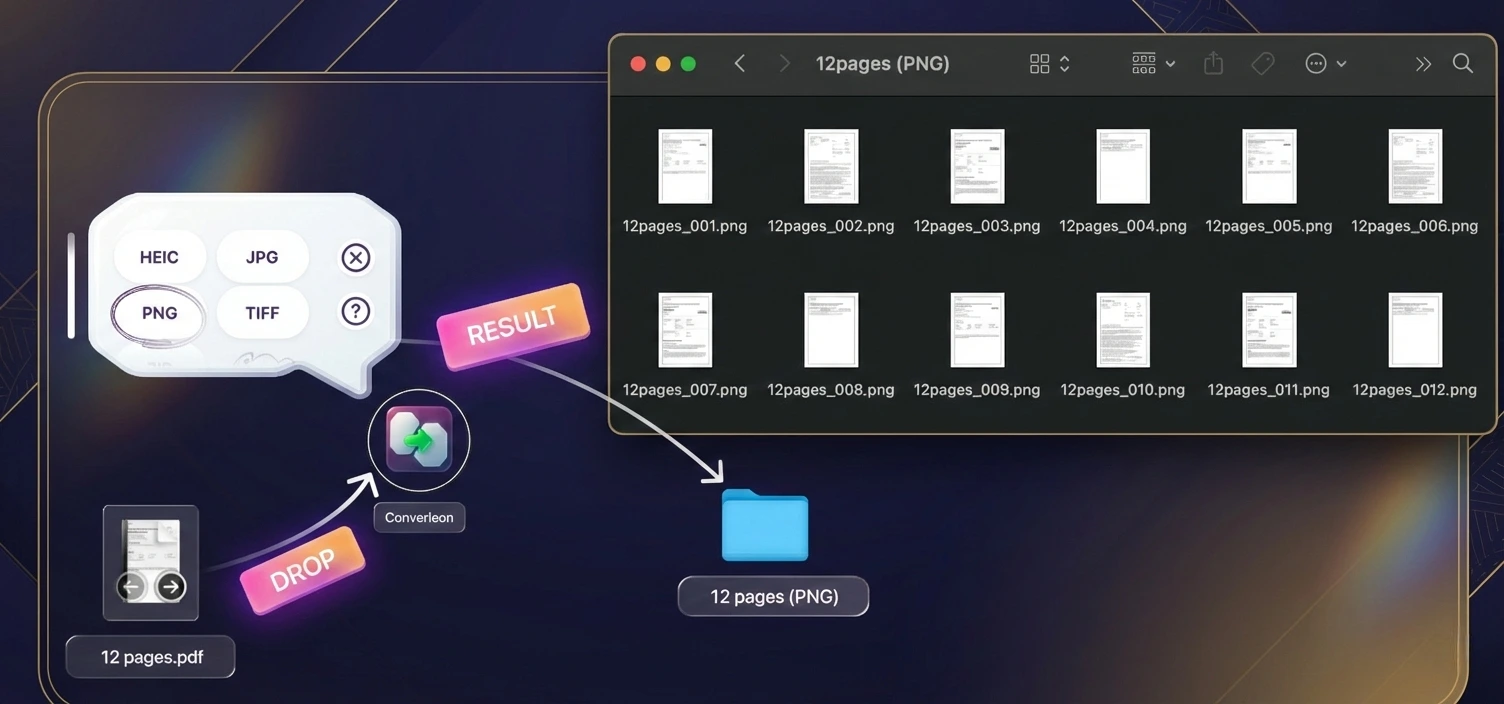
2. Pick a format. Choose based on what you're after:
- Images — JPG or PNG for the web, HEIC for compact storage, TIFF for print.
- Documents — PDF output to split the file into single-page PDFs.
3. Done. Processing runs locally. A 10-page source gives you 10 numbered files, in order.
Why page-by-page beats a web tool
Contracts and reports tend to carry sensitive data, so exporting offline avoids a risky upload — the same privacy logic that runs through Converleon. The text also stays crisp, with PNG and TIFF available when you want lossless quality for design or print.
FAQ
Can I split a PDF into smaller PDFs? Yes. Choose PDF as the export format and each page saves as its own PDF.
Will the images come out blurry? No. Pages render at high resolution, so they hold up in presentations and print. PNG and TIFF are the lossless picks.
Can I export pages from several PDFs at once? Yes. Drop them together and export in one batch, mixing outputs like JPG and single-page PDF if you need to.
Wrapping up
Pulling one page out of a document doesn't need heavy software. Split a PDF into pages or convert those pages for quick sharing, and you're done. Going the other direction — merging files back into one PDF — is just as quick.
Download Converleon for Mac — export high-resolution pages or split PDFs privately.