Archives
How to Open RAR and 7Z Files on Mac (No Command Line)
You double-click a downloaded archive and macOS tells you there's no app to open it. It's a familiar dead end with RAR and 7Z files — the built-in Archive Utility handles ZIP and quietly gives up on the rest.
You don't need Terminal commands or some ad-riddled freeware to get in. Converleon unpacks these archives, or repacks them into a Mac-friendly ZIP, with a drag and a click. It's also a dependable way to unzip 7Z on Mac entirely offline.
The "no application set to open the document" error
Archive Utility covers ZIP and not much else, so RAR, 7Z, and the more exotic formats hit a wall. Converleon opens them — or hands you a ZIP you can share anywhere — in a few clicks.
What you need
- A Mac on macOS 13.5 or later
- Converleon from the App Store
- The RAR or 7Z file that won't open
Step by step
Converleon treats archives as something you either crack open now or repackage for later — your call.
1. Drop your archive. Drag the file onto the Converleon icon. It reads a wide range of formats: ZIP, RAR, 7Z, CBR, TAR, GZ, XZ, BZ2, and more. Multiple archives at once is fine.
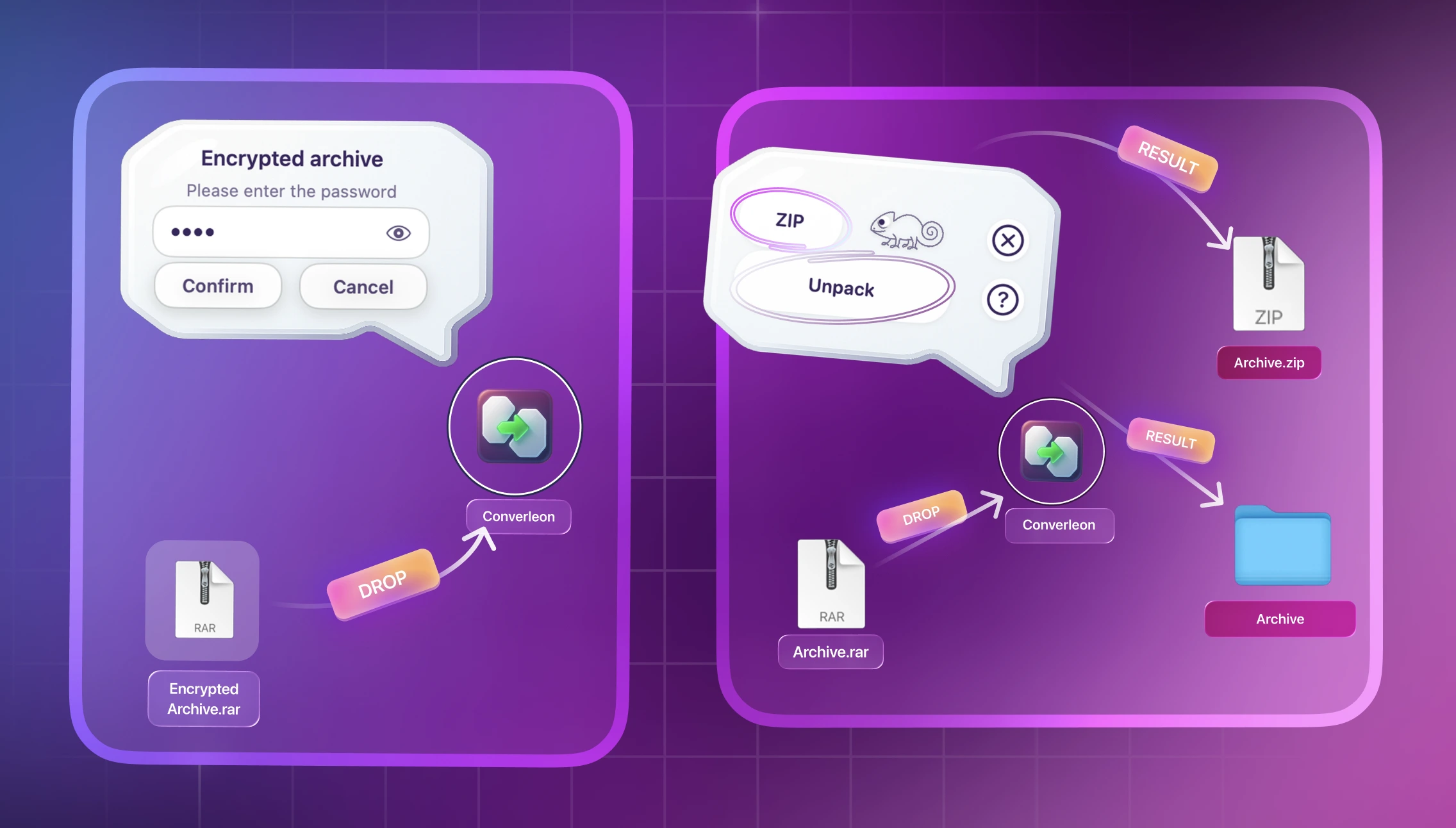
2. Choose what happens. Converleon detects the type and offers two paths:
- Unpack — extracts the contents to a folder beside the original.
- Repack to ZIP — opens the RAR or 7Z and rebuilds it as a standard ZIP for easy sharing.
3. Done. It all runs offline. Your files are ready.
Managing passwords: Converleon opens password-protected ZIP and RAR files using standard encryption. Password-protected 7Z files aren't supported yet.
Why repack to ZIP instead of just unpacking?
Sometimes you don't need the contents right now — you just need a format that opens everywhere. Repacking a RAR to ZIP makes the archive painless to share across macOS and Windows without anyone installing extra software.
FAQ
Can I create 7Z files with Converleon? You can unpack 7Z, but for creating archives Converleon sticks to ZIP for broad compatibility.
Will old or broken filenames come through correctly? Yes. Standard Mac tools often garble filenames in older archives because of encoding mismatches. Converleon repairs broken encodings, so the names inside the extracted folder read correctly.
Does it handle double extensions like .tar.gz? Yes. Compound formats such as .tar.gz and .tar.bz2 are recognized and unpacked in one step.
Wrapping up
An archive format shouldn't stall your afternoon. Whether you're opening a RAR or unzipping a 7Z, it's drag-and-drop and offline. Since the password stays on your machine the whole time, it fits the same local-only approach as the rest of Converleon.
Download Converleon for Mac — open RAR & 7Z archives, fix broken filenames.