PDFs & Documents
How to Convert JPG & PNG Images to PDF on Mac
A stack of photos is awkward to send — a recipient gets a dozen attachments instead of one tidy file. Turning images into a PDF fixes that: scanned receipts, ID photos, a portfolio, or a set of screenshots become a single document that opens the same way on any device.
Converleon turns JPG and PNG images into PDF on your Mac, either one image per file or several combined into one multipage PDF. It all runs locally.
One image, or many in one PDF
Two slightly different jobs, both covered:
- One image to one PDF — drop the image, choose PDF.
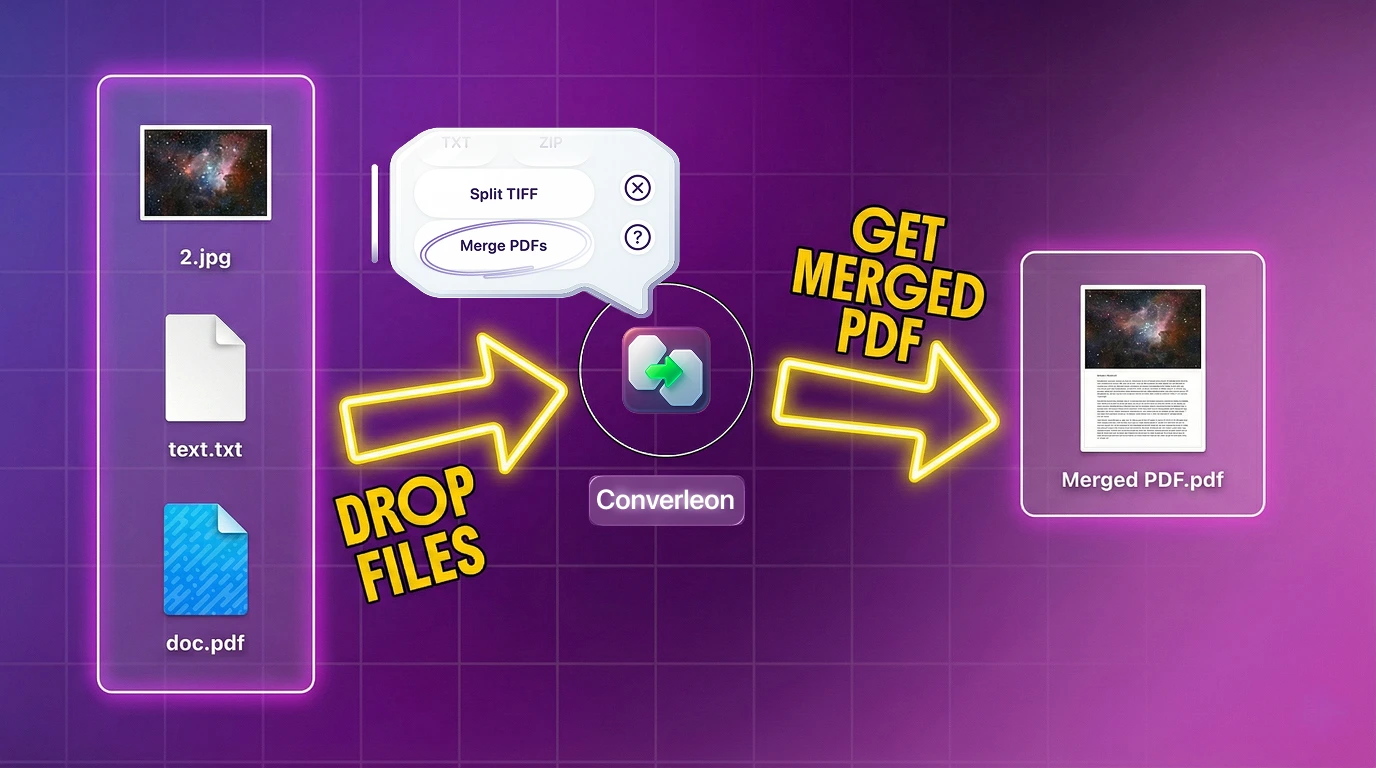
- Several images into one PDF — drop them together and choose Merge PDFs; each image becomes a page, in order.
What you need
- A Mac on macOS 13.5 or later
- Converleon from the Mac App Store
- Your JPG, PNG, or other image files
Step by step
1. Select your images in Finder. One or many — JPG, PNG, HEIC, WEBP, TIFF, and more are all fair game.
2. Drop them onto Converleon. The action bubble appears.
3. Choose your output. Pick PDF to convert each image to its own PDF, or Merge PDFs to combine the whole selection into one multipage document.
Getting the page order right
In a merge, images become pages in the order you'd expect, so name or arrange the files the way you want them to read before dropping. If you later need to pull the pages back out, exporting a PDF page by page reverses the process.
Why do it locally
Images bound for a PDF are often the sensitive kind — IDs, receipts, signed forms. A web tool wants all of them uploaded first; Converleon keeps them on your drive, in line with its offline-first approach.
Images to PDF FAQ
Can I combine several images into one PDF? Yes. Drop them together and choose Merge PDFs — each image becomes a page in the combined file.
Which image formats can become a PDF? JPG, PNG, GIF, HEIC, HEIF, HIF, BMP, WEBP, and TIFF, among others.
Can I mix images with Word files and existing PDFs? Yes. That's a full mixed merge — the merge PDF guide covers combining documents, images, and PDFs together.
Are my files uploaded? No. Conversion and merging happen on your Mac.
Wrapping up
A pile of images is easier to send as one clean PDF, and building it locally keeps private scans off a server. When you need the reverse — splitting a PDF back into images — it's the same kind of two-step job.
Download Converleon for Mac — turn images into PDF offline.