PDFs & Documents
How to Convert HTML to PDF on Mac Offline
A saved web page is handy for archiving but awkward to send. It might lean on a folder of related assets, render differently in another browser, or get bounced by a document portal. PDF sidesteps all of that and keeps the result in one file.
Converleon converts local HTML and HTM files to PDF on your Mac. The file never leaves the device, and the PDF you get can be shared or folded into other documents.
Turn saved web pages into documents you can send
Handy for receipts, reports, drafts, reference pages, and internal docs that were saved as HTML.
What you need
- A Mac on macOS 13.5 or later
- Converleon from the Mac App Store
- A local HTML or HTM file
Step by step
1. Find the HTML file in Finder. Use the saved local file, not a web address.
2. Drop it onto Converleon. The app recognizes the document input.
3. Choose PDF. The converted PDF appears beside the source file.
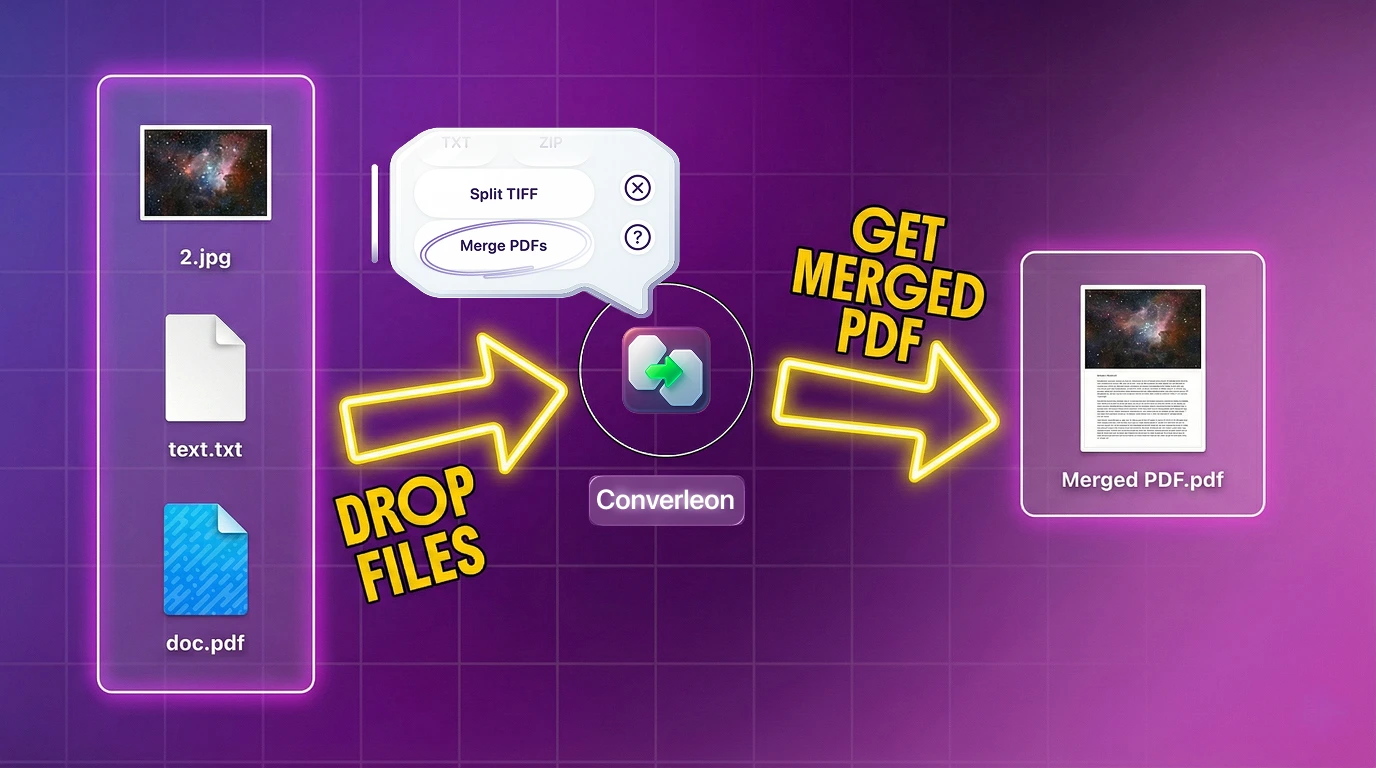
Drop HTML into a mixed PDF merge
You can also drop HTML alongside images, Word files, and existing PDFs, then choose Merge PDFs. Converleon converts the compatible documents first and combines everything into one file — the mixed PDF merge guide walks through it. HTML became a supported input in a recent update, covered in the WEBP, HEIF & HTML overview.
HTML to PDF FAQ
Can I convert a website URL directly? The input is a local HTML or HTM file saved on your Mac, not a live URL.
Does the conversion happen online? No. The document is processed locally.
Can I convert several HTML files at once? Yes. Batch conversion works for compatible document inputs.
Can I split that PDF back out afterward? Yes. Once you have the PDF, exporting it page by page turns each page into its own file.
Wrapping up
When a saved web page needs to become something stable and sendable, PDF is the practical answer — and converting locally keeps the source private without another upload.
Download Converleon for Mac — convert HTML files to PDF offline.